SpaceBrief builds a weekly Confluence space change digest — pages created, updated, or commented on, plus stale candidates when you configure them — and publishes it as a draft page. It informs. It does not change content restrictions. The app runs on Atlassian Forge, with an optional Forge LLM (Runs on Atlassian; no external API key) and no remote backend or external analytics.
Quick start
Install SpaceBrief from the Atlassian Marketplace on your Confluence Cloud site, and accept the permission prompt. If the install includes the llm module, a site admin needs to approve that major-version upgrade; until then, digests publish in template (demo) form.
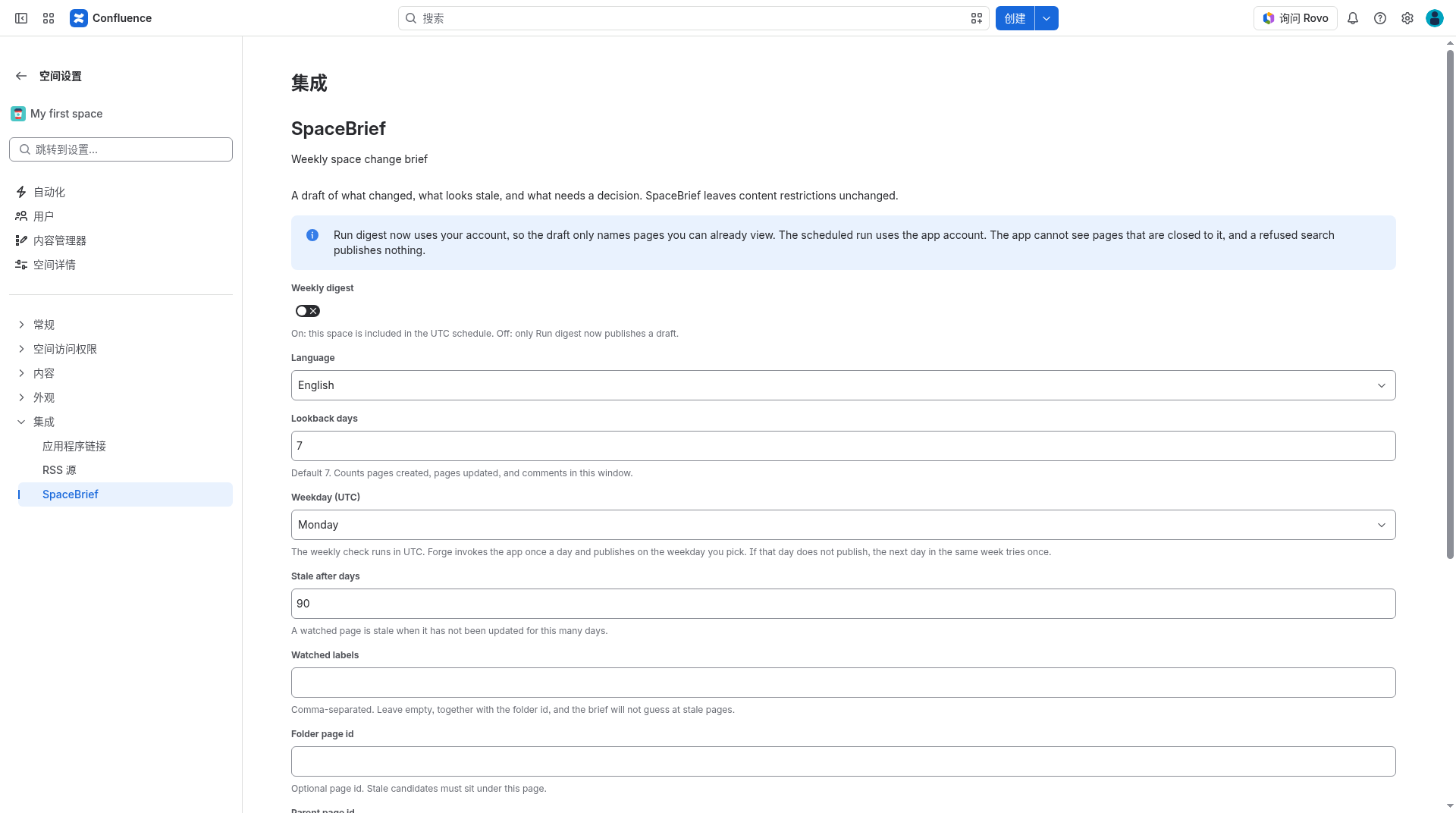
Open a space → Space settings → Integrations → SpaceBrief.
Turn Weekly digest on if you want this space on the UTC schedule. Choose language (English or 中文), lookback days (default 7), and weekday (UTC, default Monday). Optionally set a parent page, watched labels, or a folder page id for stale detection. Save settings.
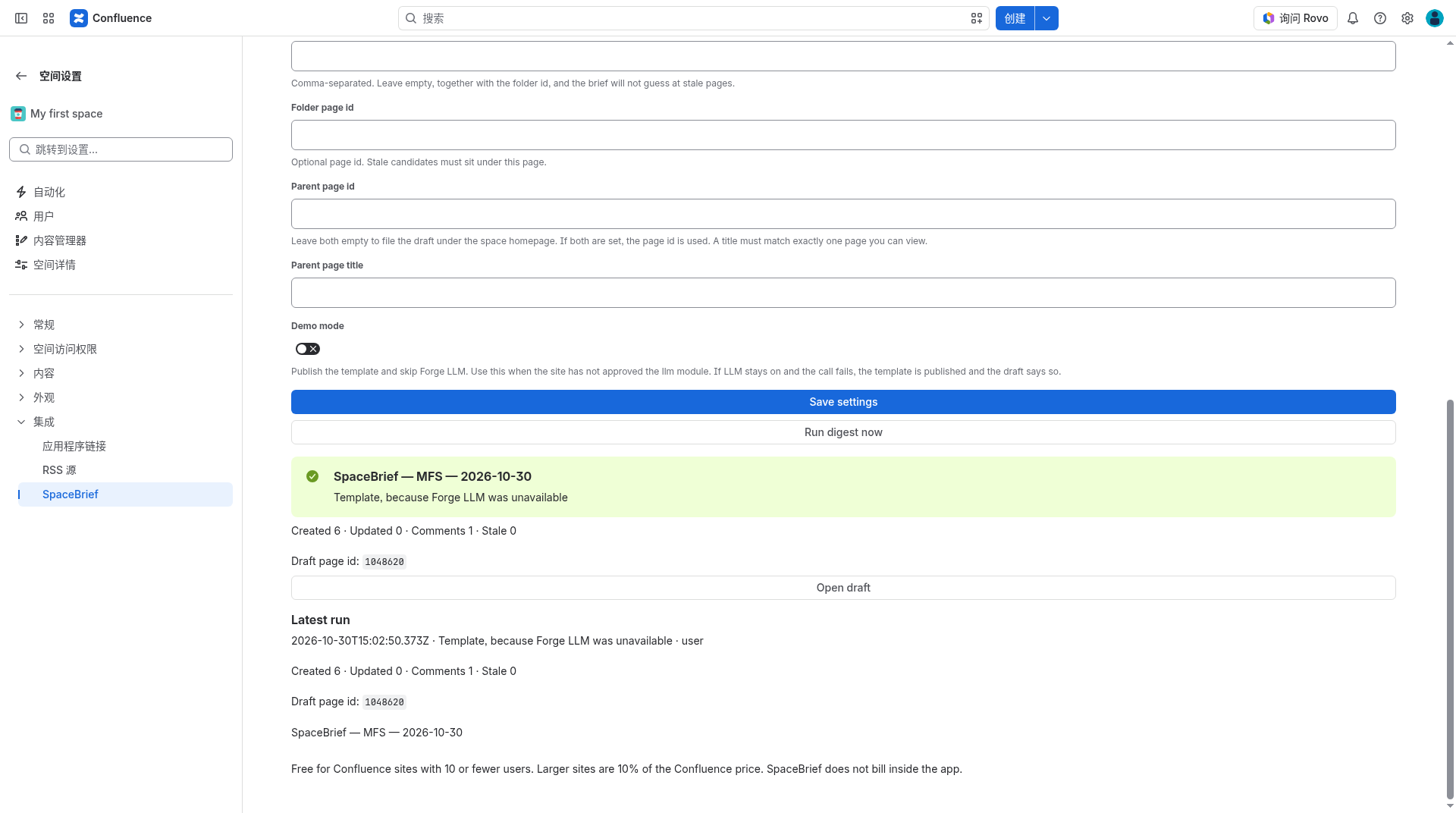
Choose Run digest now to publish a draft immediately. This run uses your account and includes only pages you can already view.
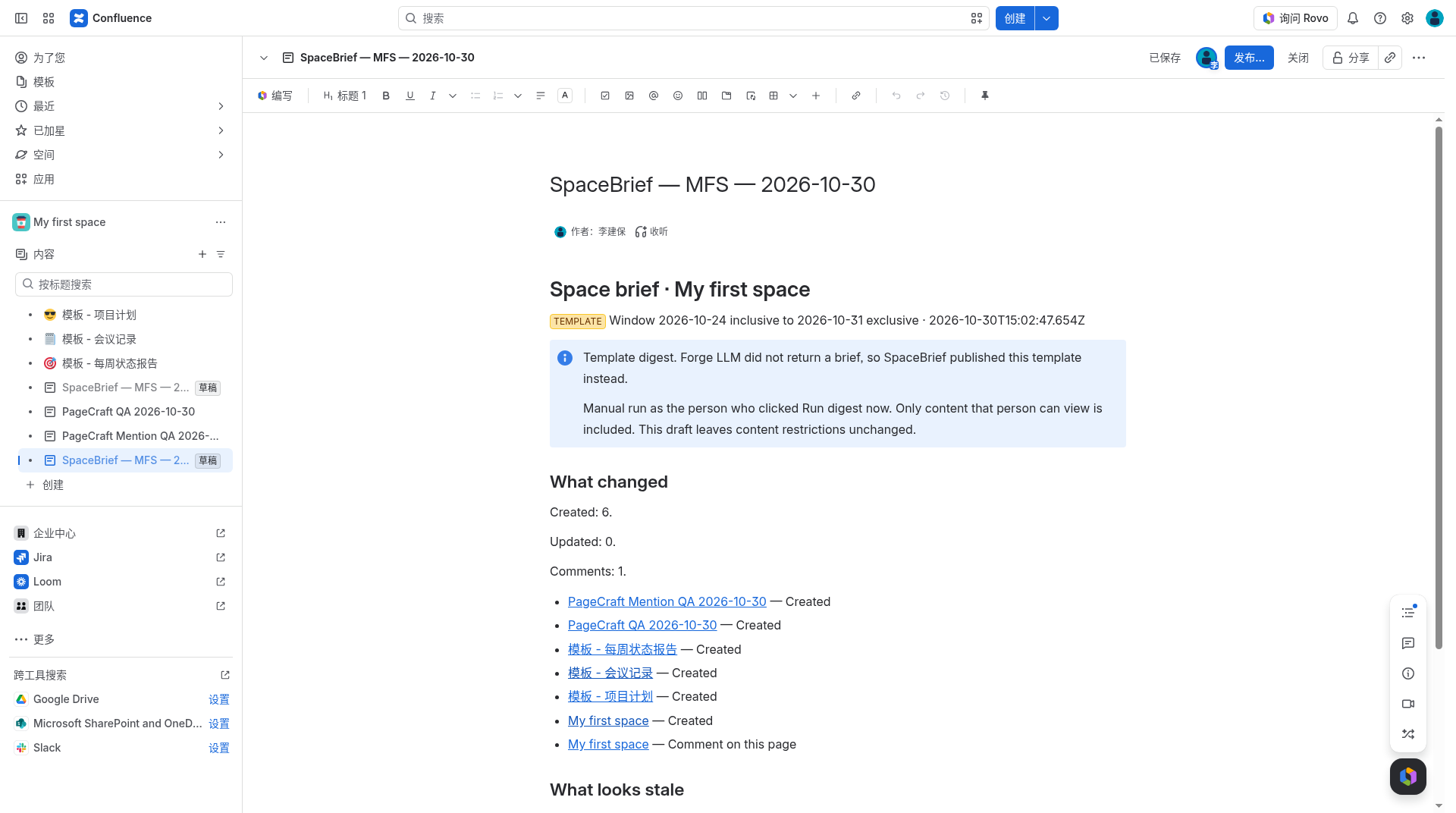
Open the draft (title form: SpaceBrief — {space} — {YYYY-MM-DD}), review the sections, and publish it in Confluence when you are ready. SpaceBrief leaves the page in draft status.
Figure 1. Space settings → Integrations → SpaceBrief. Turn the weekly digest on, set language, lookback, and weekday (UTC), then continue to the fields below and save.Figure 2. Save settings, then Run digest now. A successful run shows the draft title, counts (created, updated, comments, stale), a draft page id, and Open draft. The scheduled weekday run uses the app account, not the person who last clicked the button.Figure 3. The digest is created as a Confluence draft. This example is a template digest (Forge LLM did not return a brief, or demo mode was on). The page lists what changed in the lookback window and does not change content restrictions.
Main features
Space-level settings — enable the digest per space; set language, lookback days, weekday (UTC), stale window, watched labels, optional folder page id, and an optional parent page id or exact parent title. Leave both parent fields empty to file the draft under the space homepage. If both are set, the page id is used. A title must match exactly one page you can view.
Run digest now — available on the space settings page (space admins) and on the app Configure page (site admins). The interactive run checks that you can view the space and create pages, then reads Confluence as you. A refused permission check or search publishes nothing.
Scheduled run — Forge invokes the app once a day. Each enabled space publishes on the weekday you pick (UTC). If that day does not publish, the next day in the same week tries once. The scheduled run uses the app account and is not a user action. Pages restricted away from the app are omitted; their titles are not stored, and the draft banner says so.
Draft contents — counts and sample titles for pages created, pages updated, and comments in the lookback window. Stale pages are queried only when labels or a folder are configured. A “what needs a decision” section is included when the digest has that material. Comment rows use the parent page title, never the comment body.
Forge LLM or template — when demo mode is off and the llm module is approved, SpaceBrief can write a narrative with Forge LLM. If demo mode is on, the module is not approved, or the LLM call does not return a brief, the same facts are published as a template and the draft banner says so.
Site defaults — Manage apps → SpaceBrief → Configure holds site defaults (used the first time a space is opened and has no saved settings) and the list of scheduled spaces. Each space keeps its own copy after the first save.
Plans
Marketplace tier (listing intent)
Who
Price
Free
Confluence Cloud site with ≤10 users who can use Confluence
$0
Paid
Sites above that cap
10% of Confluence Cloud
The same pricing sentence also appears on the SpaceBrief settings page. SpaceBrief does not bill inside the app. The scheduled daily trigger runs only when the installation is licensed; an unlicensed installation does not spend that run. Development installs receive a license from the Forge CLI. Run digest now is a user action on the settings pages described above.
Limits
Does not change content restrictions (that is a different product).
Does not email the digest, and has no remotes.
Stale pages are not guessed when both watched labels and the folder page id are empty.
A 401 or 403 on search, space lookup, or page create publishes nothing for that space. An HTTP 200 with zero results can still publish a draft that says the window was empty.
We are a third-party Marketplace partner (汇科天下 / hktx.cn), not Atlassian. App name SpaceBrief does not start with an Atlassian product name and does not use Atlassian logos in the app icon.
Documentation for Marketplace App Review. Last updated 2026-11-13.